You haven't signed in yet, you can have a better experience after signing in
*Please complete the payment within {{receiveCouponInfo.expire_at}}Previous use*
You haven't signed in yet, you can have a better experience after signing in



Activity Rules
1、Activity time:{{ info.groupon.start_at }} ~ {{ info.groupon.end_at }}。
1、Activity time:cease when sold out。
2、Validity period of the Group Buying:{{ info.groupon.expire_days * 24 }} hours。
3、Number of Group Buying:{{ info.groupon.need_count }}x。
Please Pay Attention
1、Teamwork process: Join/initiate a Group Buying and make a successful payment - Within the validity period, the number of team members meets the activity requirements - Group Buying succeeded!
2、If the number of participants cannot be met within the valid period, the group will fail, and the paid amount will be refunded in the original way.
3、The number of people required and the time of the event may vary among different products. Please pay attention to the rules of the event.

Do you know how many times you said 'the lowest in the entire network' during a live broadcast?
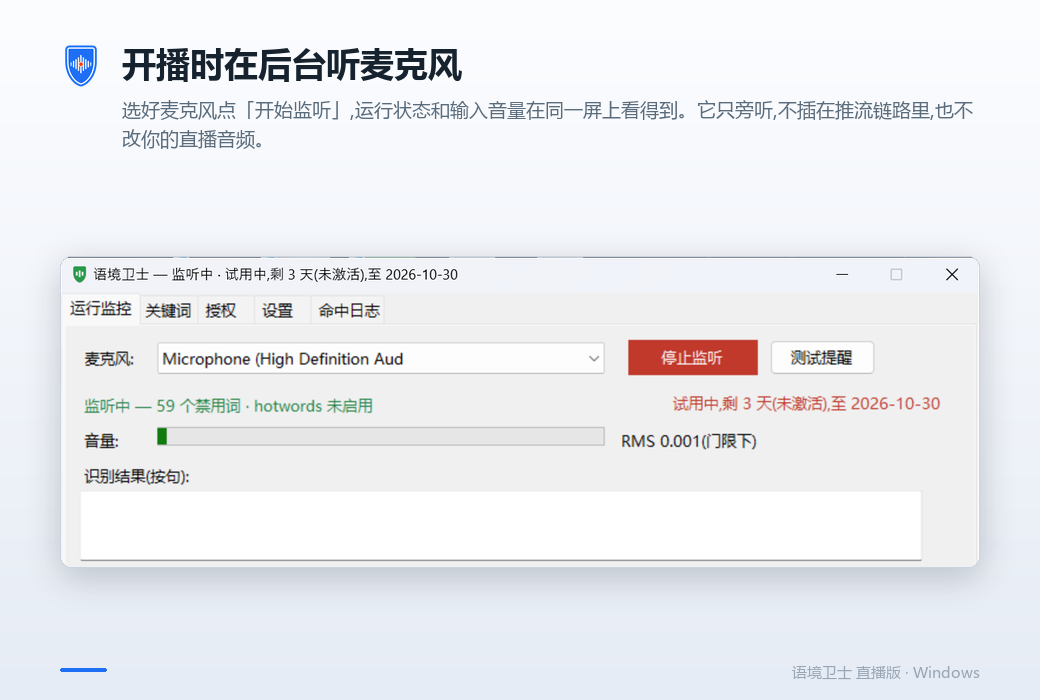
The live version of Context Guardian listens quietly when you start broadcasting. When it comes to sensitive language, remind on the spot; After the broadcast, I will give you a speech examination form. Offline voice recognition and custom word library on this device, real-time reminders when broadcasting, and counting by frequency after downloading - recording and recognition results run and stored purely locally, without internet connection or uploading, safe and reliable.
Why do we need it?
Prohibited words are rarely "accidentally said once", they are a verbal habit. The phrases' lowest in the entire network ',' absolutely effective ',' first brand ', and' cure 'will repeatedly appear dozens of times in a live broadcast, and the person who said them is almost unaware. If you ask any anchor how many times they said 'most' today, no one can answer.
The punishment of the platform is cumulative. Saying once and saying 40 times have different results. And you have to know how many times you have said it, there were originally only two ways: to have someone watch and listen beside you, or to watch the two-hour video again after the broadcast. The former cannot afford it, and no one really does the latter.
What the Context Defender does is to transform the question of "Am I using sensitive language?" from a memory based answer to a question that can be known on the spot and has data available upon playback. It doesn't take the words back for you, it lets you know you've said them and won't say them again for the twentieth time.
How does it work
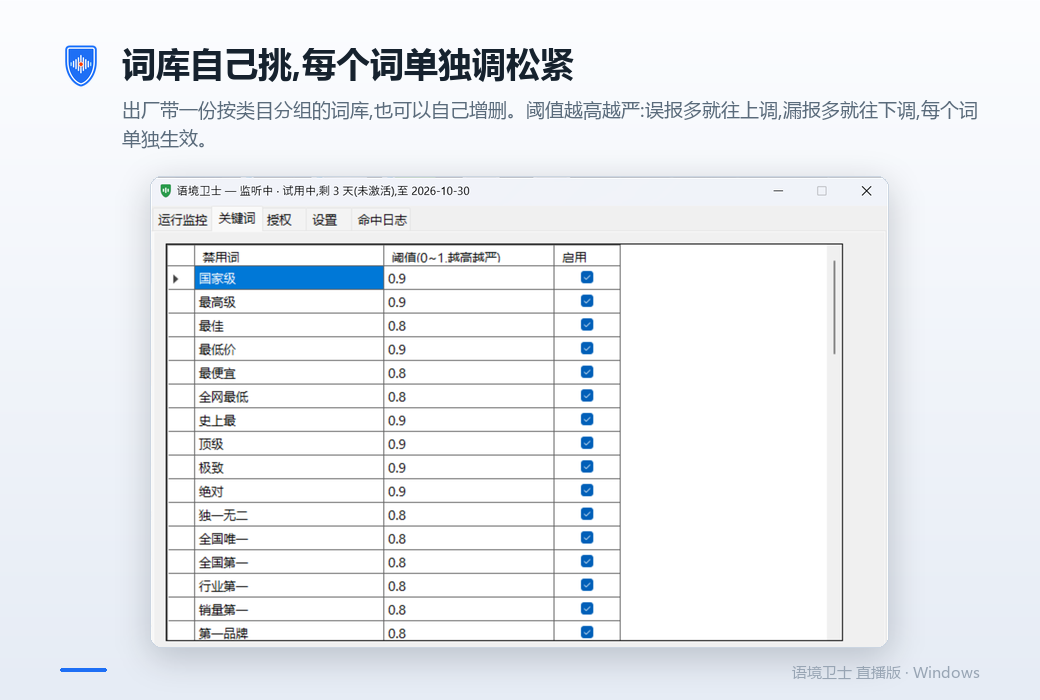
Before the broadcast: Choose the words to watch for this event
Built in classification vocabulary, can also be added or deleted by oneself, with each word individually switched on and off and adjusted for tightness.
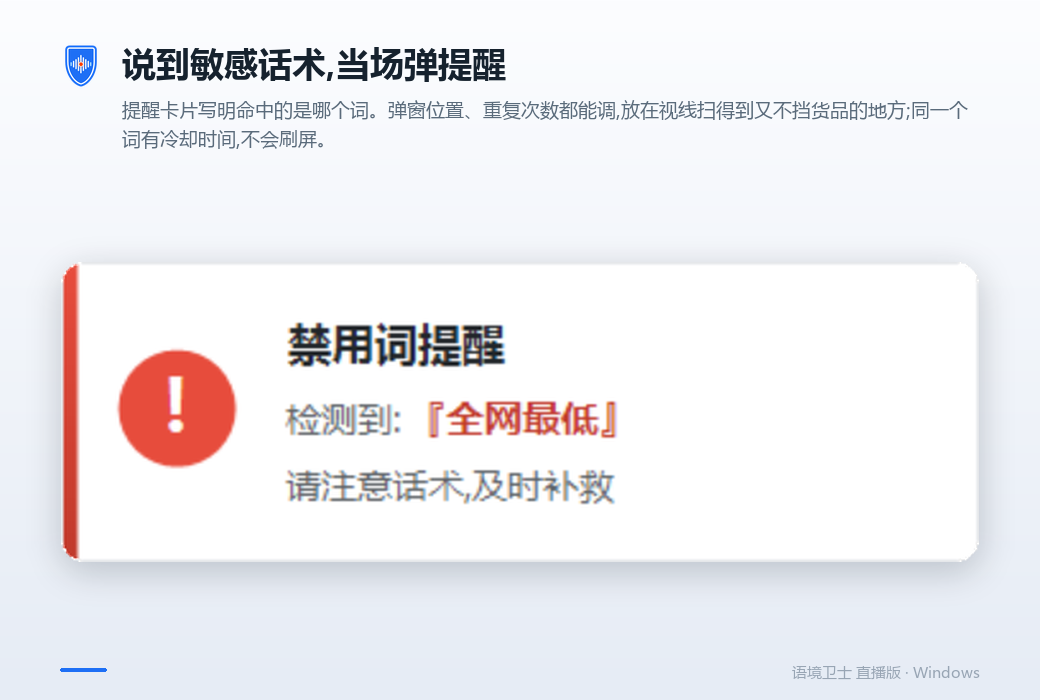
When broadcasting: hit and play reminder
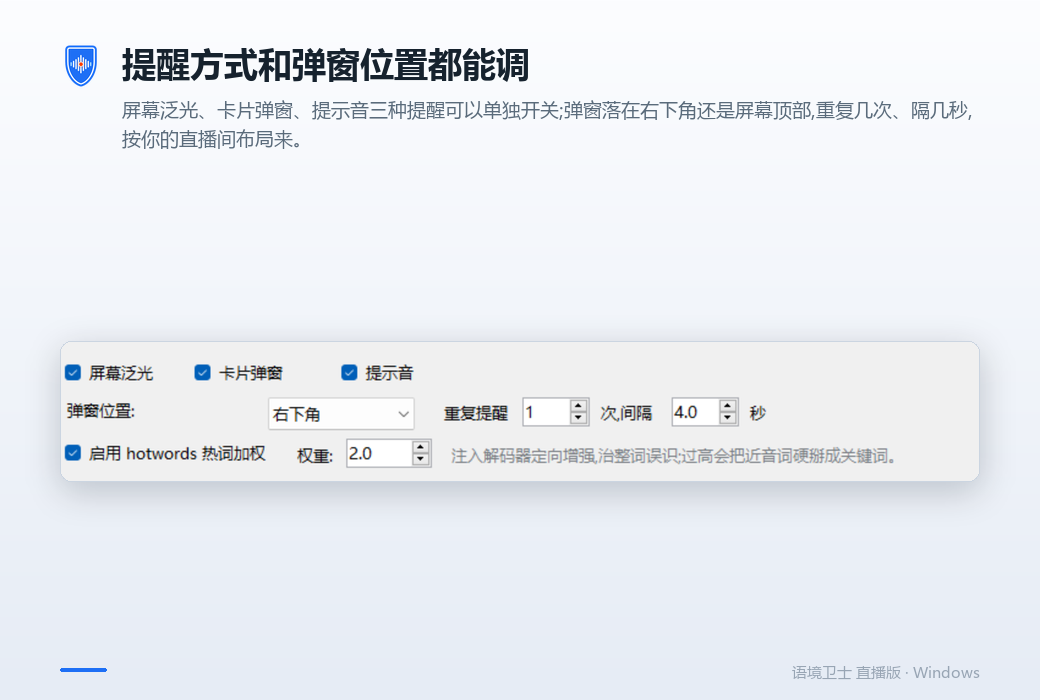
The software listens to the microphone in the background and plays a reminder when it hits the word you set. The position, size, color, and repetition times of the pop-up window can be adjusted, and it should be placed in a visible location that does not obstruct the goods; The same word has a cooldown time and won't go viral.
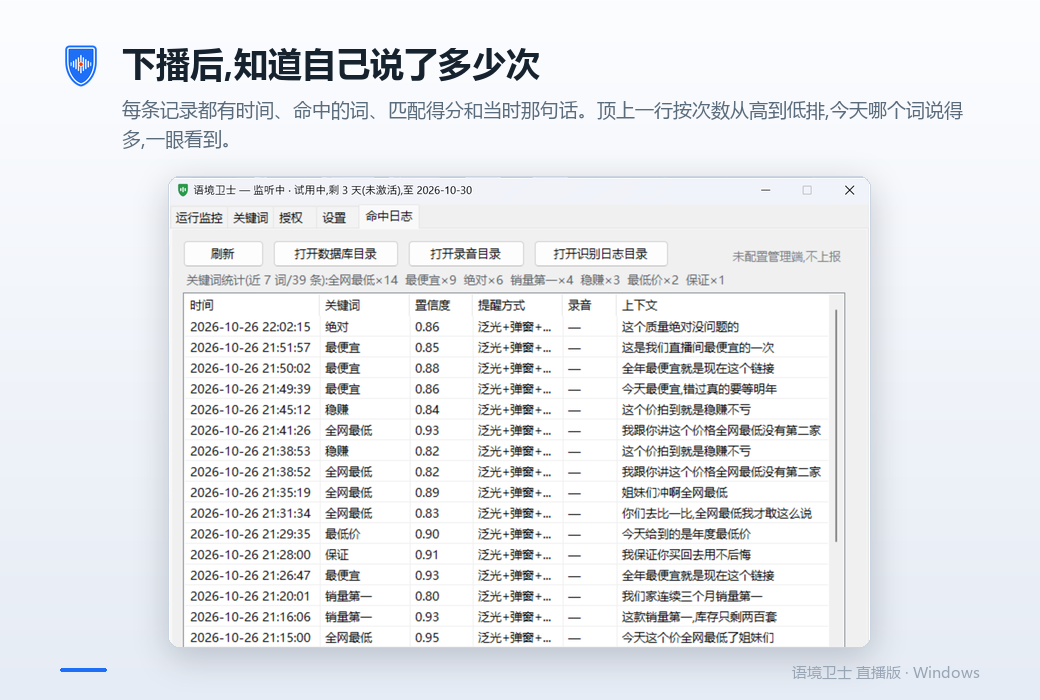
After downloading: Open the hit log
Each one has time, hit word, matching score, and context of the sentence at that time; The top line is arranged in descending order of frequency, and you can see at a glance which word has been said the most today.
Several differences from similar tools
Most prohibited word tools are text matching - writing 'cheapest' only recognizes these three words. The context guard matches pinyin syllables with similarity threshold, tone sensitivity switch, and maximum interval tolerance, so variants such as "most suitable", "cheapest", and "cheapest" can also be hit.
In fast mode, the software starts comparing the text during the recognition process, and words may pop up as soon as they are spoken, giving you a chance to circle a sentence on the spot. There is also a high-precision mode: cut out the entire sentence based on the pause in the voice and recognize it more accurately, at the cost of waiting for one sentence to be finished.
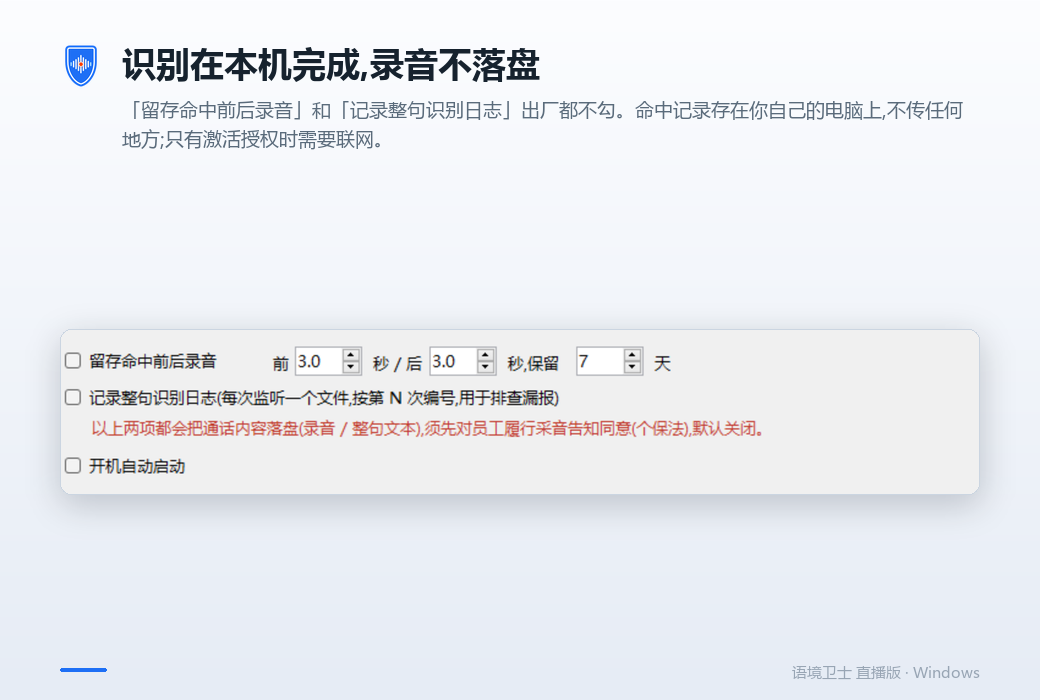
The speech recognition model is installed locally and runs offline. Recording without dropping the disc, recognizing text without writing logs, and not uploading hit content are all three requirements for the live streaming version when it leaves the factory. The hit log is stored on your own computer, and the only time you need to connect to the internet is to activate authorization.
When changing computers, click on 'unbind this machine' on the old machine, and the activation code will be released on the spot. You can enter it on the new computer without contacting customer service or waiting for verification. Unbinding requires networking to ensure that an activation code is not valid on two computers at the same time.
It doesn't do anything
Please read this section before placing your order. This is written here so that you don't have to refund.
When the reminder popped up, that sentence had already been broadcasted. Its function is to prevent you from saying it again, not to stop this time.
The platform the final say which words violate the rules and how many penalties are imposed. The red lines of each category are different. Lexicon helps you keep track of your own language habits, not the platform's review rules. Please adjust according to your category.
No software can do this, we do not make this promise.
Not mute, not replace, not plugged into the streaming link, just listening.
Only one app on the phone can actually access the microphone at a time, and when the live streaming app is in use, the third-party app receives mute. This is a system level limitation.
More suitable
Not suitable temporarily
Official website:https://yczlabs.com/zh/products/yujingweishi/
Download Center:https://yujingweishi.apsgo.cn
Shipping time:24-hour automatic shipping
Operating Platform:Windows
Interface language:Supports Chinese interface display and multiple language options.
Update Description:One purchase, no subscription required, subsequent versions can be upgraded for free.
Trial before purchase:Free trial is available before purchase.
How to receive goods:After purchase, the activation information will be sent to the email address at the time of placing the order, and the corresponding product activation code can be viewed in the personal center, My Orders.
Number of devices:Can install one computer.
Replace computer:Uninstall the original computer and activate the new computer.
Activation guidance:To be added.
Special note:To be added.
reference material:https://yczlabs.com/zh/products/yujingweishi/

Any question